
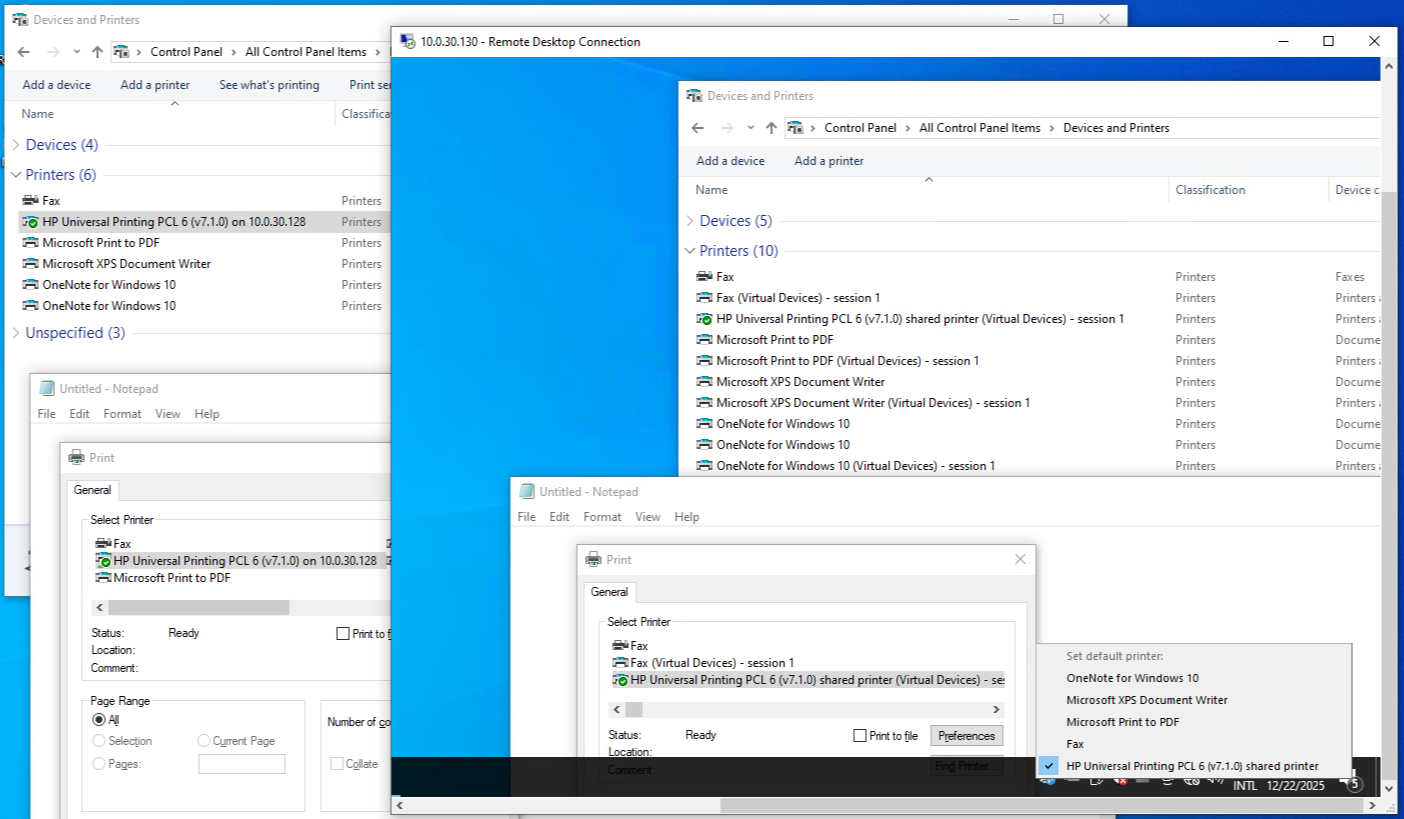
You can set a default printer manually like this, with a right-click in Print on General > Printer :
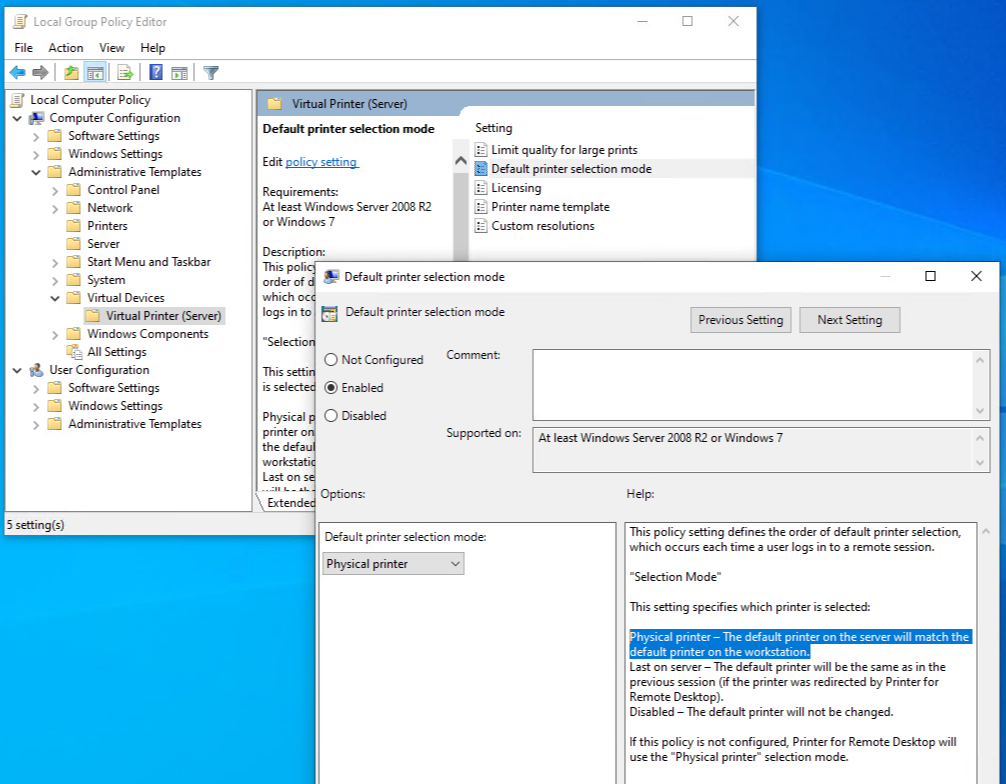
You can set the default printer via a GPO, server side, in :
Computer Configuration > Administrative Templates > Virtual Devices > Virtual Printer (Server) > Default printer selection mode
You can find GPO template on Virtual Printer (server) PC/VM:
C:\Windows\PolicyDefinitions\VirtualDevices.admx
C:\Windows\PolicyDefinitions\en-US\VirtualDevices.adml
C:\Program Files\Virtual Devices\Virtual Printer (Server)\policies.zip
Please do the following:
1) use the latest (2.5.8.13) version of Virtual Printer (workstation&server);
2) configure the default printer assignment in GPO template on Virtual Printer (server) PC/VM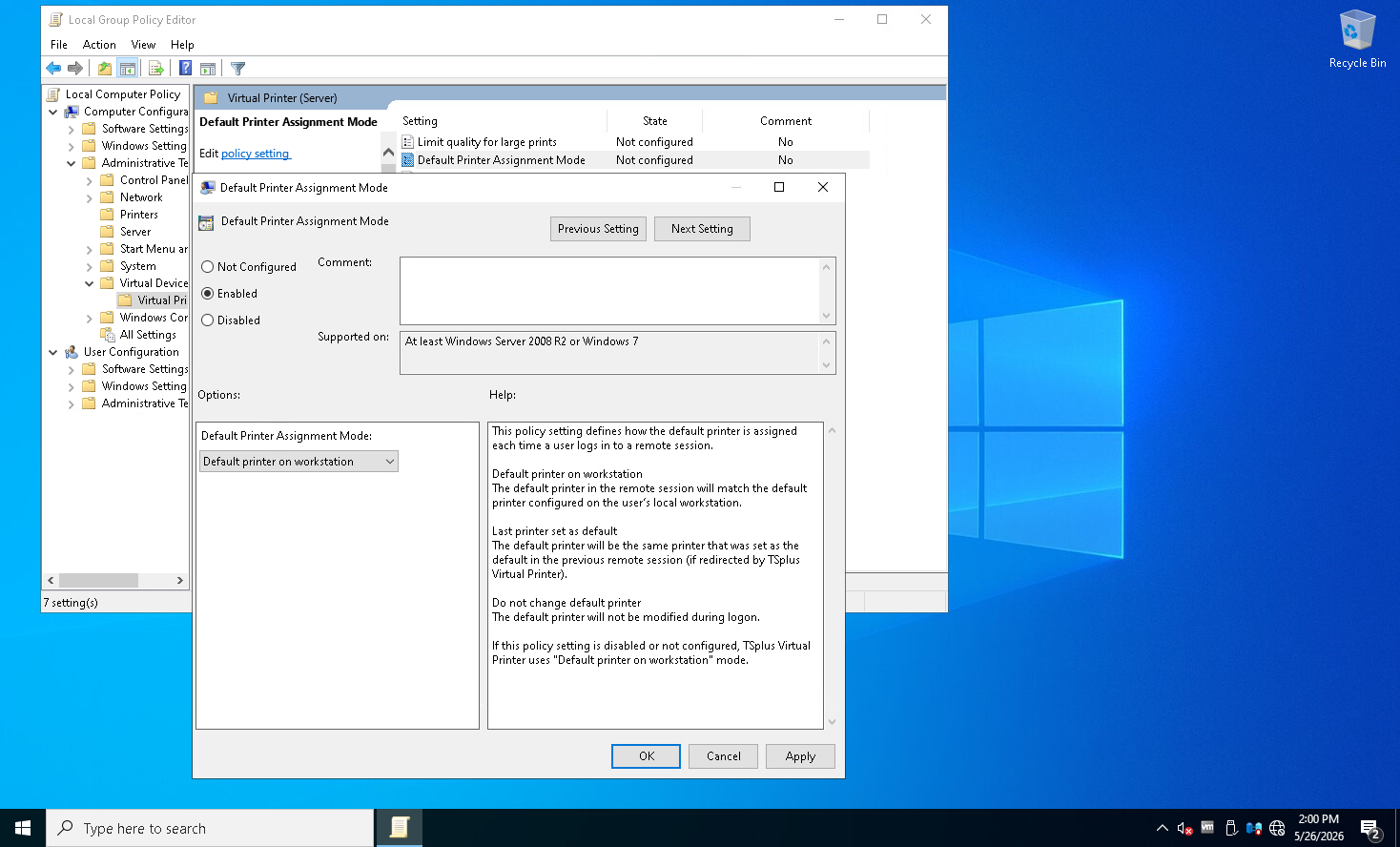
2) determine the default printer on the local PC using powershell command:
Get-CimInstance -Class Win32_Printer -Filter "Default = $true"
3) launch a remote session using mstsc.exe, determine the default printer on the remote side within RDP session using powershell command;
4) close a remote session, change a default local printer, launch a remote session (using mstsc.exe), determine the default printer on the remote side within RDP session using powershell command