To reset the Advanced Security PIN code, proceed as following:
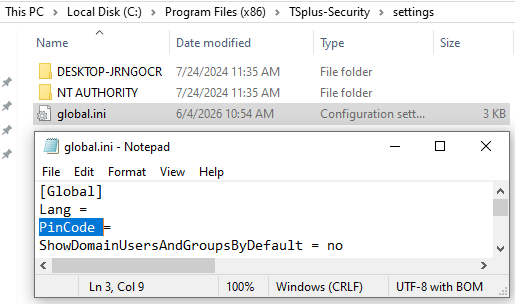
- open this folder: C:\Program Files (x86)\TSplus-Security\settings\
- open the file: global.ini with NotePad
- find the variable: PinCode = <crypted pin code>
- delete the value after "="
- save the file and run Advanced Security again.